
FortuneJack Casino in Your Pocket
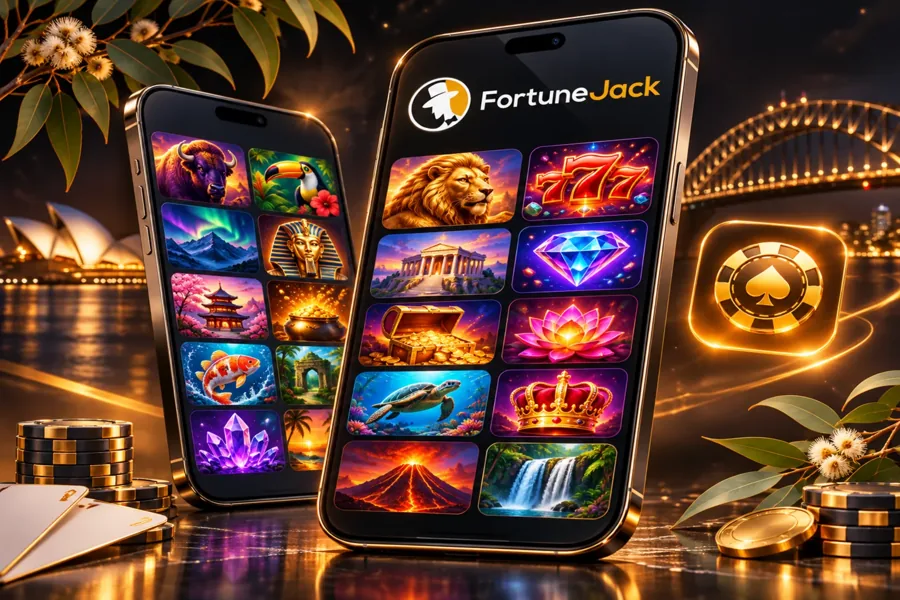
Your FortuneJack account goes where you go: spin Gates of Olympus, take a seat at an Evolution live table or top up with Bitcoin or Tether right from your phone. Same balance, same bonus, smaller screen.

FortuneJack Casino on Your Phone
What the mobile experience covers and what to expect before you start.
Most people who play at FortuneJack Casino do it on a phone these days, usually in short sessions between other things. So the mobile version has to do the same job as the desktop site, just on a smaller screen. On this page we cover how it works, what you can reach from your pocket and where it helps to slow down and check the details.
The game library on mobile is the same one you get on a laptop. You can spin Gates of Olympus from Pragmatic Play or Book of Dead, or open a live table from Evolution without changing devices. Slots from NetEnt and Push Gaming load in portrait or landscape, and the buttons sit where your thumb expects them. If you like a bit of variety, the sportsbook and esports sections sit in the same menu as the casino lobby.
Payments are where mobile play makes the most sense. FortuneJack supports 6 payment methods, all of them cryptocurrencies, including Bitcoin, Ethereum and Tether. Copying a wallet address on a phone takes a few taps, and you can watch the transaction from the same device. The crypto minimum is A$30, so make sure your transfer covers it before you send anything.
New players can look at the welcome offer of a 100% match plus 50 free spins, and the terms are the same on every device. If something goes wrong, live chat, email and Telegram all work from mobile, so help is never far from the screen you are already holding.
Mobile Site vs Application: Which Suits You
How the two ways of playing FortuneJack Casino on your phone compare in daily use.
You can reach FortuneJack Casino on your phone in two ways. One is the mobile site in your browser. The other is the application. Both open the same account, the same balance and the same lobby, so the choice comes down to how you like to play.
The mobile site needs nothing installed. You open your browser, log in and you're spinning Gates of Olympus or Book of Dead within seconds. It updates itself, it uses no storage, and it works on almost any recent handset.
The app suits you if you play often. It sits on your home screen, so you get back to a live Evolution table with a single tap. It can also feel a little smoother when you switch between games.
Payments work the same way on both. Deposits and withdrawals run through the same 6 cryptocurrencies, including Bitcoin and Tether, so your choice has no effect on the cashier.
Not sure which to pick? Try the browser first. If you open it every day, the app is probably worth installing.
| Feature | Mobile site | Application |
|---|---|---|
| Installation | None, opens in your browser | Installed once, then opens from the home screen |
| Storage on your phone | None | Uses some device storage |
| Updates | Automatic on every visit | Installed when a new version comes out |
| Game library | Full lobby, including Starburst and Pragmatic Play slots | The same lobby and providers |
| Live casino | Evolution tables in the browser | Evolution tables, quicker to reopen |
| Crypto cashier | Same 6 cryptocurrencies | Same 6 cryptocurrencies |
| Support access | Live chat, Email, Telegram | Live chat, Email, Telegram |
| Best for | Occasional play and trying the casino out | Frequent play and quick access |
Android Download: Getting FortuneJack on Your Phone
Get the casino onto your Android home screen in a few minutes.
Most of our players open FortuneJack Casino on their phone, and Android is the most common way in. You get the same account, the same balance and the same games you use on a desktop, so a session you start at home carries on while you're out.
Download the app only from our official site. Google Play's rules on real-money gambling apps vary by country, so a casino app often isn't listed there. Any copy from a third-party store or file-sharing site could be a fake, and you should not log in with it.
Once you're in, the lobby loads the slots you'd expect. Gates of Olympus and Book of Dead are built for touch screens, so spins and bet changes work well with your thumb. Evolution's live tables also adjust to portrait mode.
Payments work the same way on Android. You can deposit with Bitcoin or another of the 6 supported cryptocurrencies by copying a wallet address or scanning a QR code with your camera. The crypto minimum is A$30, so make sure your transfer covers it before you send anything.
Open the official site
Visit FortuneJack Casino in Chrome or another Android browser. Use our real address, not a link from an ad or a message.
Find the app option
Open the menu and pick the mobile app or the add-to-home-screen option. Follow the prompts your phone shows you.
Allow the install
If Android asks for permission to install from your browser, allow it for this one install. You can switch it off again in your settings afterwards.
Log in and check your settings
Open the new icon, sign in or register, and set your deposit limits before you play your first round.
Installing FortuneJack Casino on iOS
Put the casino on your home screen in a couple of minutes using Safari.
You don't need an App Store download to keep FortuneJack Casino one tap away on your iPhone or iPad. Safari can save the site to your home screen, where it opens like a normal app with its own icon and a full-screen view.
It's the same casino you get on desktop. The lobby, Gates of Olympus, Book of Dead, Starburst and the Evolution live tables all load in the mobile layout. The cashier works the same way too, so a Bitcoin or Tether deposit made from your phone goes through the usual crypto flow.
The whole setup takes about a minute. Make sure your iOS is reasonably up to date and that you're using Safari for the first step, since other browsers on iPhone don't always show the home screen option.
Open the site in Safari
Launch Safari and go to the FortuneJack Casino homepage. Let the page finish loading before you go on.
Tap the Share button
Find the square icon with an upward arrow. On iPhone it sits in the bottom bar, on iPad it's at the top right.
Choose Add to Home Screen
Scroll down the share menu and tap Add to Home Screen. You can rename the shortcut if you like, then tap Add.
Launch and sign in
Tap the new FortuneJack icon on your home screen, log in or register, and you're ready to play. Next time, it opens straight into the casino.
Full App Features
Everything on the main FortuneJack Casino site is available in your pocket.
The full slots lobby
You get the same slot library as the desktop site. Open Gates of Olympus for tumbling wins and multipliers, or Book of Dead if you like a classic expanding symbol. Games from Pragmatic Play, NetEnt and Push Gaming load in portrait or landscape, so you can play one-handed.
Live tables from Evolution
Live dealer games stream straight to your screen. The betting buttons are sized for a thumb rather than a mouse, which matters once a round is moving fast. The stream adjusts to your connection, so a weaker signal costs you picture quality, not your seat.
Sportsbook and esports
The sportsbook and esports markets are in the same account as the casino. You can check a match, place a bet and go back to a slot without logging in again or moving funds between wallets.
Crypto cashier
The cashier takes 6 cryptocurrencies, including Bitcoin, Ethereum, Tether and TRON. Scan a QR code or copy the wallet address, and make sure your transfer covers the A$6 crypto minimum before you send anything.
Welcome offer on mobile
New players can claim the 100% welcome bonus up to A$1,000 with 50 free spins from the app. The bonus carries 35x wagering and is valid for 30 days, and the free spins are valid for 7 days.
Support when you need it
You can reach the operator by live chat, email or Telegram. Email and Telegram are handy if you would rather keep a written record of the conversation.
Your First Deposit Bonus on the App
A 100% match and 50 free spins, claimed from your phone the same way as on desktop.
Your first deposit at FortuneJack Casino comes with a 100% match bonus up to A$1,000 and 50 free spins. You get the same offer on the app as in a desktop browser. You sign in with the same account and see the same cashier, so the bonus you claim on your phone is the same one you get on desktop.
The process is short. Register, open the cashier and choose a coin. Most players fund the first deposit with Bitcoin or Tether, because both are quick to send from a mobile wallet. Then confirm the transfer. Enter a code if the offer asks for one. Once the deposit clears, the match is added to your balance.
Most players spend the free spins on popular slots like Gates of Olympus or Book of Dead. The free spins are valid for 7 days, so start your session soon after claiming them.
Know the figures before you deposit. The minimum deposit is A$20 (A$30 for crypto), wagering is 35x, and the bonus is valid for 30 days, with free spins valid for 7 days. Because deposits are in crypto, the AUD value of your bonus can move with the coin price, so check the amount on screen before you confirm.

Installing the app does not trigger a separate bonus. The welcome offer is linked to your account's first deposit, so you can claim it on the app or on desktop, but only once.
FortuneJack App FAQ
Short, honest answers to the questions players ask most before they play on mobile.
Is FortuneJack a legit online casino?
Yes. FortuneJack holds a Curacao licence and has been running since 2014. It offers games from known studios like Evolution, Pragmatic Play, NetEnt and Push Gaming.
How can I check if an online casino is legit?
Look for a named licence, recognised game providers and clear support channels. FortuneJack operates under a Curacao licence, 8048/JAZ2014-013, and lists the details in the legal section at the bottom of the page.
How do I spot a fake casino app?
Fake apps copy logos but skip the details. They often have no licence info, use unknown game studios and give you no way to reach support. Open FortuneJack only from its official address.
Do I need to download anything?
No. The mobile site runs in your phone browser. If you want one-tap access, add it to your home screen.
Which games work best on a phone?
Slots like Gates of Olympus and Book of Dead load quickly and fit small screens well. Starburst is a lighter option if your connection is slow.
Can I bet on sports in the app?
Yes. The sportsbook and esports markets sit next to the casino, live dealer tables and poker, all on one account.
How do I pay?
FortuneJack accepts cryptocurrencies only, including Bitcoin, Dogecoin, Ethereum, Litecoin, TRON and Tether. Deposits are instant, the minimum deposit is A$30 and withdrawals are available in the same coins, paid within 30 minutes.
What is the welcome offer?
New players get a 100% deposit bonus up to A$1,000 plus 50 free spins, with 35x wagering. The bonus is valid for 30 days and the free spins for 7 days.
What is a wagering requirement?
A wagering requirement is how many times you must play through a bonus before withdrawing. The welcome offer is 100% up to A$2,500 + 50 free spins with 35x wagering, valid for 30 days.
Is it legal to play pokies online?
That depends on where you live. Check your local gambling rules before you sign up.
How do I contact support?
The operator's team answers by live chat, email and Telegram. For questions about this website, write to [email protected].